
Seasonal Review Management Strategies: Year-Round Excellence
Learn how to adapt your review management approach to seasonal fluctuations, peak periods, and holiday rushes. Practical strategies for maintaining review quality regardless of business volume.
David Kim
Product Marketing Manager
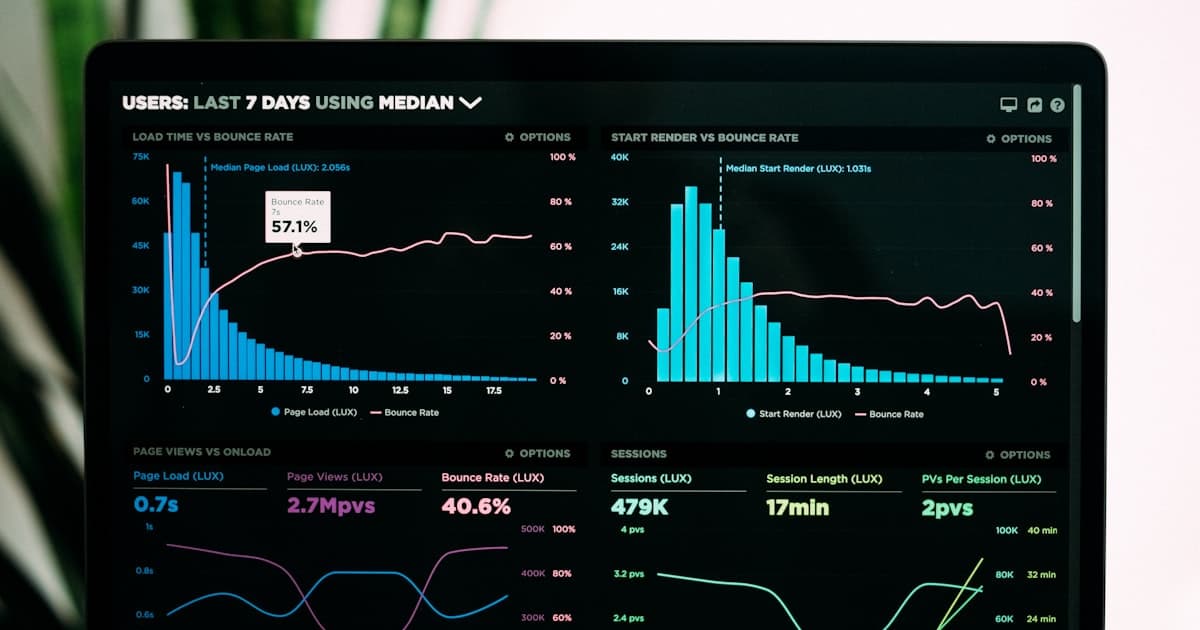
Quick Answer: Seasonal review management is the practice of adapting your review monitoring, response, and generation strategies to match your business's busy and slow periods. According to eMarketer, holiday e-commerce reached $263.55 billion in 2024, representing 24% of annual sales compressed into weeks, making seasonal review strategy essential for businesses with peak periods.
Key Takeaways
- According to eMarketer, holiday e-commerce reached $263.55 billion in 2024, representing about 24% of annual online retail sales
- According to ReviewTrackers, 53% of customers expect businesses to respond to negative reviews within a week
- According to Womply, businesses that respond to reviews earn 35% more revenue than those that don't
- Review volume typically correlates with customer volume but with a slight delay—peak reviews come slightly after peak business
- According to BrightLocal, 73% of consumers only pay attention to reviews from the last month, requiring consistent year-round generation
What is seasonal review management? It is the strategic practice of adapting your review monitoring, response times, and generation efforts to match your business's natural cycles of busy and slow periods. Every business has seasonality—whether holiday-driven, weather-driven, or industry-specific. The businesses that maintain strong reputations year-round don't treat reviews as a constant; they prepare for peaks when they have time, execute systematically when they're busy, and use quiet periods to build volume and fix operational issues.
It's December 23rd. Your retail store is packed, staff is stretched thin, and you haven't checked reviews in two weeks. Meanwhile, three negative reviews have been sitting unanswered, visible to every last-minute shopper researching you online.
Or it's February. Your seasonal business is dead quiet. No new customers means no new reviews. Your most recent review is from October, and your profile looks abandoned.
Both scenarios are preventable. The businesses that maintain strong reputations year-round don't treat reviews as a constant. They adapt their strategies to the rhythm of their business.
The Seasonal Review Challenge
Every business has seasonality—even ones that think they don't.
According to eMarketer research, e-commerce holiday shopping reached $263.55 billion in 2024, representing about 24% of annual online retail sales compressed into just a few weeks. Restaurants see spikes around Valentine's Day and Mother's Day. HVAC companies explode in summer and winter. Tax preparers are slammed January through April.
This seasonality creates specific review management challenges:
Peak season problems:
- Too busy to monitor reviews
- More customer interactions = more potential complaints
- Staff stretched thin = higher error rates
- No time for thoughtful responses
Off-season problems:
- Fewer customers = fewer reviews
- Stale review profiles look abandoned
- Less urgency can lead to neglect
- Miss opportunities to build for next peak
The businesses that manage reviews well don't just have good peak strategies or good off-season strategies. They have integrated annual approaches.
Understanding Your Business's Review Seasonality
Before creating a strategy, map your patterns.
Analyze Your Review History
Look at your reviews from the past 2-3 years:
- Which months have the most reviews?
- When do negative reviews cluster?
- What topics appear in different seasons?
- How did your response rates change through the year?
Identify Your Peak Periods
For most businesses, peaks fall into categories:
Holiday-driven peaks:
- Retail: November-December
- Restaurants: Valentine's Day, Mother's Day, Thanksgiving weekend
- Florists: Valentine's Day, Mother's Day
- Travel: Summer, spring break, winter holidays
Weather-driven peaks:
- HVAC: Summer and winter extremes
- Landscaping: Spring through fall
- Snow removal: Winter
- Pool services: Memorial Day through Labor Day
Life-event peaks:
- Wedding vendors: April-October
- Tax preparers: January-April
- Moving companies: Summer months
- Real estate: Spring and early summer
Industry-specific peaks:
- Gyms: January (resolutions)
- Accountants: April, October (extensions)
- Party venues: Prom season, graduation, holidays
Map Review Volume to Business Volume
Review volume typically correlates with customer volume, but with a slight delay. Someone who dines with you on Saturday might leave a review on Monday. Someone who gets AC fixed in July might review in August.
This delay matters for planning: your peak review volume comes slightly AFTER your peak business volume.
Peak Season Review Strategies
When business is booming, review management often falls apart. Here's how to prevent that.
Preparation (4-6 Weeks Before Peak)
Audit your current standing:
- What's your current star rating on each platform?
- Are there unanswered reviews?
- What do recent negative reviews mention?
Address operational issues:
- Reviews from previous peak seasons reveal patterns
- "Long wait times" in past December reviews? Add staff this December
- "Rushed service" complaints? Slow down even when busy
Build response templates: Create templates for scenarios you'll likely encounter:
- Holiday-specific thank yous
- Seasonal complaints (wait times, availability, etc.)
- New customer appreciation
- Repeat customer recognition
See review response templates for every situation for starting points.
Set up automation: Peak season is when review automation proves its value. Tools like HeyThanks can maintain response rates automatically when you're too busy to personally reply.
Train your team:
- Brief seasonal staff on review importance
- Designate someone to monitor reviews daily
- Create escalation procedures for negative reviews
During Peak Season
Daily monitoring (non-negotiable): Even if you can't respond immediately, know what's being said. Negative reviews need attention within 24-48 hours at most.
Prioritize negative reviews: When time is limited, focus on:
- Negative reviews (response within 24 hours)
- Reviews that mention specific issues to address
- Positive reviews (batch respond if needed)
Leverage automation wisely: Use automated responses for straightforward positive reviews. Save personal attention for:
- Negative reviews
- Complex situations
- Loyal customers you recognize
Brief responses are better than none: "Thank you for the kind words! We're so glad you had a great experience during our busiest season. Hope to see you again soon!"
A short, genuine response beats an elaborate one that never gets written.
Ask during peak moments: High-volume periods = high opportunity for reviews. Don't forget to ask satisfied customers.
For asking strategies, see how to ask customers for reviews without being pushy.
Post-Peak Review
After the rush, analyze:
- How many reviews did you receive?
- What was your response rate?
- What themes appeared in negative reviews?
- What operational changes should you make for next year?
Document lessons learned while they're fresh.
Off-Season Review Strategies
Quiet periods aren't dead time—they're opportunity time.
Review Generation Focus
Off-season customers may be your most valuable reviewers. They:
- Have more time for thoughtful reviews
- Aren't lost in the shuffle
- Can speak to your off-peak experience
Increase your ask rate during slow periods. A few good reviews in quiet months keep your profile looking active.
Deep Response Work
Use quiet time for:
- Responding to any lingering unanswered reviews
- Crafting thoughtful responses to negative reviews that need more care
- Updating response templates based on peak season learnings
Profile Optimization
Off-season is perfect for maintenance:
- Update photos on your Google Business Profile
- Refresh business descriptions
- Add new services or products
- Update hours for the upcoming season
For profile optimization, see Google Business Profile optimization: complete guide.
Competitive Analysis
When you're not in crisis mode, research:
- What are competitors doing with their reviews?
- What themes appear in their negative reviews?
- How do their response rates compare to yours?
- What can you learn from their best reviews?
Planning and Training
Prepare for next peak:
- Analyze this year's peak performance
- Create new templates based on actual scenarios
- Train staff on review management
- Test and refine automation settings
Holiday-Specific Strategies
Major holidays require specific approaches.
The November-December Rush (Retail)
Before Black Friday:
- Clear all unanswered reviews
- Pre-write holiday-specific response templates
- Confirm team coverage for review monitoring
- Test all monitoring systems
During the rush:
- Focus on damage control for negative reviews
- Batch positive responses daily
- Watch for emerging patterns in complaints
- Don't promise specific resolution timelines you can't keep
Template example: "Thank you for shopping with us this holiday season! We know how hectic December can be, and we're grateful you chose us. Wishing you a wonderful holiday!"
Mother's Day / Valentine's Day (Service Businesses)
These high-stakes holidays generate emotional reviews—both glowing and devastating.
Before:
- Staff extra carefully
- Have contingency plans for problems
- Remind team of the stakes
After negative reviews: "We're truly sorry we didn't meet the standard you deserved on such an important day. This isn't who we are. Please contact [name] at [contact] so we can make this right."
Take these seriously—a ruined special occasion review lives forever.
Summer Season (Tourism / Outdoor)
High volume from people who may never return to your market.
Focus on:
- Quick responses while they're still traveling
- Asking for reviews while the experience is fresh
- Addressing location-specific complaints (tourists unfamiliar with your area)
Back-to-School / January Restart
Gyms, educational services, and anything related to "fresh starts."
Anticipate:
- Enthusiasm in early reviews
- Frustration as reality sets in
- Crowding complaints from regulars
Industry-Specific Seasonal Considerations
Restaurants
Peak periods: Holidays, graduations, Valentine's Day, Mother's Day Common seasonal complaints:
- Wait times during peaks
- Reservation issues
- Holiday menu vs. regular menu disappointment
Strategy: Over-communicate expectations. If there's a prix fixe holiday menu, say so. If wait times are longer, set expectations at booking.
For restaurant-specific strategies, see reputation management for restaurants.
Home Services
Peak periods: HVAC extremes (summer/winter), spring landscaping, fall cleanup Common seasonal complaints:
- Availability delays during emergencies
- Rush job quality concerns
- Scheduling difficulties
Strategy: Proactively communicate delays. "Due to extreme heat, wait times are currently 48-72 hours" prevents frustration better than surprise delays.
See reputation management for home services.
Healthcare
Peak periods: Flu season, back-to-school physicals, January (New Year health resolutions) Common seasonal complaints:
- Wait times for sick visits
- Appointment availability
- Office crowding
Strategy: HIPAA-compliant responses that acknowledge systemic issues without confirming individual patient details.
See reputation management for healthcare providers.
Retail
Peak periods: November-December holidays, back-to-school, seasonal sales Common seasonal complaints:
- Out-of-stock items
- Long checkout lines
- Return/exchange policies
- Seasonal staff quality
Strategy: Address inventory and staffing proactively in responses. "We're working to restock popular items" shows responsiveness.
Managing Staff for Seasonal Review Success
Your team's capacity affects review quality.
Peak Season Staffing
Designate review responsibility: Even during peak, someone needs to own reviews. This might be:
- A manager checking once daily
- A rotating responsibility
- An automated system with human oversight
Brief seasonal staff: Temporary workers affect your reviews. Quick training on:
- The importance of reviews
- What experiences generate positive vs. negative reviews
- How to handle upset customers
- Who to escalate issues to
Year-Round Team
Create review culture:
- Share reviews (positive and negative) with the team
- Recognize staff mentioned positively
- Use negative reviews as learning opportunities (not punishment)
- Include review metrics in regular business reporting
For team training, see employee training for review responses.
Technology for Seasonal Management
The right tools make seasonal transitions smoother.
Review Monitoring
Set up alerts that notify you regardless of business volume. You should know about new reviews within 24 hours maximum.
Response Automation
Tools like HeyThanks are most valuable during peaks when personal attention is scarce. They ensure:
- 100% response rates even during rushes
- Consistent voice regardless of who's responding
- Negative review flagging for personal attention
Analytics
Track performance across seasons:
- Response rates by month
- Rating trends by season
- Common complaint themes by period
For more on analytics, see review analytics: metrics that matter.
Creating Your Annual Review Calendar
Map out a year-long approach:
January:
- New Year review audit
- Update response templates
- Train on any new processes
February-March:
- Spring preparation
- Review off-season performance
- Build review volume before peak
April-May:
- Spring peak prep (varies by industry)
- Test automation systems
- Team training refresher
June-August:
- Summer peak management (if applicable)
- Midyear analytics review
- Adjust strategies based on first-half data
September-October:
- Fall preparation
- Holiday season planning
- Template creation for holiday-specific responses
November-December:
- Peak season execution
- Daily monitoring
- Automation in full effect
- Holiday-specific responses
This calendar becomes your template—refine annually based on experience.
Measuring Seasonal Review Success
Track these metrics across seasons:
Volume metrics:
- Reviews received per month
- Reviews per transaction/customer (if trackable)
- Platform distribution
Quality metrics:
- Average rating by month
- Sentiment trends
- Complaint themes by season
Response metrics:
- Response rate by month
- Response time by month
- Resolution rate for negative reviews
Business correlation:
- Review-to-revenue correlation
- New customer sources ("I saw your reviews")
- Repeat customer mentions in reviews
See measuring ROI of review management for more.
Your Next Steps
Build your seasonal review strategy:
-
Analyze past patterns. Look at 2-3 years of review data to understand your business's seasonality.
-
Identify your peaks. When are you busiest? When do reviews spike?
-
Create seasonal templates. Pre-write responses for your specific seasonal scenarios.
-
Set up automation. Ensure you can maintain response rates even during peaks.
-
Build your calendar. Map out a year-long approach with monthly priorities.
-
Train your team. Everyone should understand seasonal review management.
-
Review and refine. After each peak, analyze performance and adjust.
The businesses that maintain excellent reputations year-round don't treat reviews as an afterthought. They plan for seasonality, prepare for peaks, and use quiet periods strategically.
Your busiest days shouldn't be the days your reputation suffers. And your slowest days shouldn't be wasted opportunities.
Build a seasonal strategy that keeps your reputation strong every month of the year.
Because the review someone reads in December was probably written in November. And the habits you build in February determine whether you're prepared for your June rush.
Start planning now. The next season is always closer than you think.
Tags
Frequently asked questions
Do reviews matter more during peak season or off-season?
Both, but differently. During peak season, new customers are actively reading reviews before choosing you, making your review quality crucial for conversion. During off-season, you have more time to generate reviews, respond thoughtfully, and prepare for the next rush. Strategic businesses use off-season to build review volume for peak-season success.
How should review response speed change during busy periods?
Maintain consistent response rates even when busy. Research shows 53% of customers expect response within a week, and businesses that respond to reviews earn 35% more revenue. If you can't personally respond during peaks, use automation tools or delegate to trusted staff, but never let reviews go unanswered just because you're busy.
What's the best way to prepare for peak season reviews?
Three key preparations: 1) Build review volume before the rush so you have a strong foundation, 2) Create response templates for common seasonal scenarios, 3) Set up automation or staff coverage to maintain response rates during high-volume periods. Review your previous year's peak-season reviews to identify patterns to address.
Keep reading
More field notes from the queue.
Review Management
Review Response Automation: The Honest Pros and Cons
Not sure if automated review responses are right for your business? We break down exactly when automation helps, when it hurts, and how to decide what works for your situation.
Review Management
Editorial note
Review Management
Best AI Review Response Software in 2026
Compare the best AI review response software for 2026. See real-time auto-posting vs bulk tools, pricing, features, and which works best for your business.
Review Management
Editorial note
Review Management
How to Automatically Reply to Every Google Review
Learn how to automatically reply to every Google review in real-time with AI-powered tools that post responses within minutes of reviews landing.
Review Management
Editorial note
Review Management
Best Google Review Automation Tools for Local Businesses
Compare the best Google review automation tools for local businesses, from real-time auto-posting to bulk approval systems. Find the right fit for your needs.